
Your deposit left your bank but isn’t in your betting account. What to check before you pay again
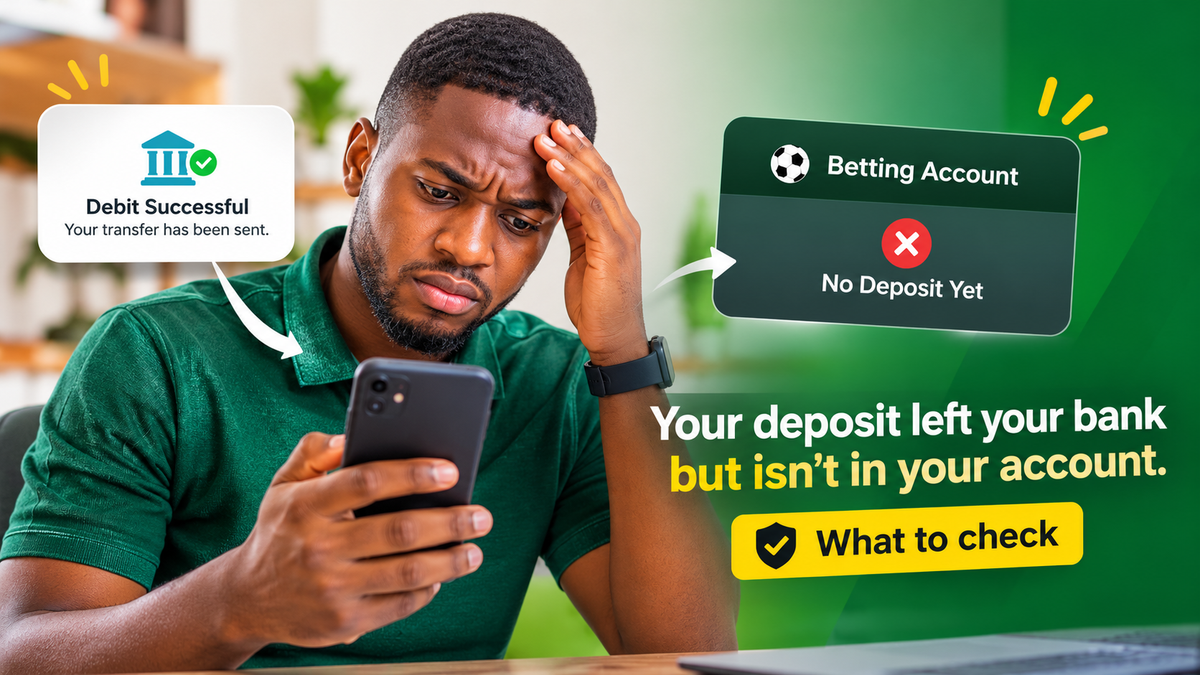
Check your Goka transaction history, then check whether your bank shows the debit as completed, pending or reversed. If the money left your account and Goka hasn't credited it, contact Goka through live chat with your transaction reference and a screenshot of the debit.
Your deposit left your bank but isn’t in your betting account. What to check before you pay again
A debit alert tells you money left your bank. It doesn't tell you the money reached Goka. Between the two sit your bank, the payment provider and Goka's own system, and a delay at any of them can leave a deposit stuck for a while. Most stuck deposits are sorted out without any money being lost, but paying again before you know where the first payment is can leave you chasing two.
This guide uses Goka as the example. Goka's site lists five deposit options: bank transfer, OPay, card, USSD and crypto. The checks below work for each of them, and for most other Nigerian betting sites too.
1. Check your Goka account first
Log out and back in, or close and reopen the app, then look at your balance and your deposit history. A deposit can be credited a few minutes after the debit, especially by bank transfer or crypto. If the deposit shows as successful, it's there. If it shows as failed, your bank should reverse the debit. If it shows as pending, or doesn't appear at all, keep going.
2. Check what your bank actually says
Open your bank or wallet app, not just the SMS alert. Look at the status of the transaction. A transaction marked pending or processing hasn't finished, and a betting site usually can't credit or refund money that's still in transit. A transaction that's been reversed means the money is back with you, so there's nothing to chase on Goka's side.
Write down the transaction reference or session ID, the exact amount, and the date and time. You'll need all of them if you contact anyone.
3. Check the payment details match
For a bank transfer, Goka shows the account details to pay into on its payment screen. Compare what you sent against those details: the account number, the bank and the exact amount. Don't reuse an account number from an earlier deposit, as payment details can change between transactions. If the payment screen showed a time limit, check you paid before it ran out.
For OPay, card or USSD, check that you completed the last approval step, such as a PIN or OTP. A payment you started but didn't approve may show as a hold at your bank and then drop off.
For crypto, check the coin and the network match what Goka's deposit screen showed, and copy the transaction hash from your wallet. Crypto deposits need network confirmations before they're credited, so a short wait is normal.
4. Check the amount was within Goka's limits
Complete Sports, which tested Goka's deposits, reports a ₦300 minimum for bank transfer, card, wallet and USSD, and a higher minimum for crypto. We haven't confirmed these limits on Goka's own site. If you sent less than the minimum, mention it when you contact support.
5. Contact Goka with your evidence
If the money has left your bank and still isn't in your account, contact Goka. Its site lists live chat, email at info@goka.ng and a message form in its help centre. Live chat is the quickest option for a missing deposit. Our Goka customer support guide explains each channel.
Send everything in your first message:
- your Goka account ID or registered phone number
- the deposit method you used
- the amount, date and time
- the bank transaction reference or session ID, or the crypto transaction hash
- a screenshot of the debit in your bank or wallet app
Ask support for a ticket or case number, and save the chat.
6. If Goka says the money never arrived, go to your bank
If Goka confirms it has no record of the payment, the money is most likely still with your bank or the payment provider. Report it to your bank as a failed transaction and give them the same evidence. The Central Bank of Nigeria says you should report the issue to your bank first and allow two weeks for it to be resolved. If it isn't, you can escalate to the CBN's Consumer Protection Department at cpd@cbn.gov.ng.
What not to do while you wait
Don't make a second deposit to "test" whether payments are working. If both go through, or both get stuck, you'll have two cases to resolve instead of one.
Don't reply to anyone who messages you on WhatsApp, Telegram, Instagram or X offering to recover your deposit. Fake support accounts look for people posting about missing money. Real support won't ask for your password, your OTP or your card PIN, and won't ask you to pay a fee to release a deposit. Our guide on how to spot a fake betting support account shows what to look for.
Don't pay into account details sent to you in a chat or message. For a bank transfer, use only the details on Goka's own payment screen, reached by logging in at goka.ng.
Don't delete your bank alerts, screenshots or chat history until the deposit has been credited or refunded.
FAQs
How long should a Goka deposit take to show?
Complete Sports reports that Goka deposits usually arrive instantly once approved, with bank transfer and crypto sometimes taking a few minutes. We couldn't find a deposit time on Goka's own help pages when we checked, so treat a few minutes as normal and contact support if it's been longer.
Is a debit alert proof that Goka received my money?
No. It shows the money left your account. Only Goka's records show whether it arrived. Keep the alert anyway, because it's the evidence support and your bank will ask for.
Should I contact Goka or my bank first?
Goka first, if your bank shows the transaction as completed. Your bank first, if the transaction shows as pending or failed, or if Goka confirms it has no record of the payment.
Can Goka refund the money instead of crediting my account?
That depends on where the money is. If Goka received it, support can credit your balance, and you can then withdraw it under the usual rules. Our Goka withdrawal guide notes that its help centre says a withdrawal can be held if you deposit and withdraw without playing. If Goka never received the money, the refund comes from your bank or payment provider.
I was debited twice for one deposit. What should I do?
Check your Goka balance first, as both may have been credited. If only one was, contact Goka with both transaction references and screenshots, and ask them to confirm which payment they received.
Does Goka charge a fee to deposit?
Complete Sports reports that Goka doesn't charge a deposit fee, though your bank may charge its usual transfer fee. We haven't confirmed this on Goka's site.
Someone on social media says they work for Goka and can fix it. Should I trust them?
No. Use only the live chat, email and help centre form on goka.ng. Never share your password, OTP or PIN, and never pay to have a deposit released.
Conclusion
A deposit that's left your bank but hasn't reached Goka is usually a delay, not a loss. The order of checks matters: your Goka history, then your bank's status, then the payment details, then support with evidence, then your bank if Goka has no record. Paying again only makes sense once you know where the first payment is.
Keep every reference number and screenshot until the money is credited or back in your account. If Goka or your bank gives you a timeline, note it, and follow up when it passes. If your bank hasn't resolved it after two weeks, the CBN's Consumer Protection Department is the next step.
For money stuck going the other way, see what a pending betting withdrawal usually means.
Sources and checks
Spotted something wrong on this page? Report a correction. We log every report and publish material changes on our corrections page. Page: Your deposit left your bank but isn’t in your betting account. What to check before you pay again